

Spring is finally rolling into Alberta. The snow is melting (hopefully for the last time this month), the mud is everywhere, and if you’re like most of us, you’re probably looking at your windows and thinking, “I should really get the Windex out.” But while you’re busy scrubbing the grime off the siding or clearing out the garage, there’s one area of your life that’s likely being ignored: your tech.
Your laptop, desktop, and even your trusty tablet have been working overtime all winter. They’ve survived the dry indoor air, the static electricity, and probably a few too many crumbs from those “working lunches” on the couch. Just like your home, your gadgets need a little TLC to keep running smoothly. At Second Wind Sales and Services, we’re big believers in giving your gear a second chance, or a “second wind,” if you will.
Giving your tech a proper spring cleaning isn’t just about making it look shiny; it’s about performance, longevity, and even doing a little bit of good for the planet. Let’s dive into how you can give your gadgets a fresh start this season.
The Physical Polish: Blowing Out the Cobwebs
If you’ve ever looked behind your computer desk and seen a tumbleweed of dust, imagine what it looks like inside your computer. Dust is the silent killer of electronics. It acts like a cozy, suffocating blanket for your components, trapping heat and forcing your fans to work twice as hard. Eventually, that heat leads to “thermal throttling” (where your computer slows down to keep from melting) or, worse, total hardware failure.
1. The Power of Air
For most desktops and even some laptops, a can of compressed air is your best friend.
- The Right Way: Take your device outside or into the garage. Trust me, you don’t want that dust ending up back in your living room. Use short, sharp bursts of air to clear out the vents, the fans, and the heatsinks.
- The Pro-Tip: When you’re blowing air into a fan, hold the blades still with a toothpick or a finger. If you let the air spin the fan at Mach 1, you can actually damage the motor or create a small electrical charge that your motherboard won’t appreciate.
2. Screens and Surfaces
Please, I’m begging you, put down the paper towels. Using paper towels or old rags on your screens is like taking a piece of 40-grit sandpaper to your expensive display. They leave scratches and lint everywhere.
Instead, grab a clean microfiber cloth. If there’s a stubborn smudge from a greasy finger, a tiny bit of distilled water or a specialized screen cleaner (alcohol-free!) will do the trick.
The Digital Deep-Clean: Decluttering the Drive
We’ve all got it: the “Downloads” folder that has files dating back to 2021. Digital clutter is just as heavy as physical clutter, even if you can’t see it. A full hard drive can slow your operating system to a crawl, making your snappy PC feel like it’s trying to run through a swamp.
1. The Great Downloads Purge
Go through your Downloads folder and your Desktop. If you haven’t opened that PDF menu from a restaurant in another city in six months, delete it. If you have three copies of the same installer file, trash ’em.
2. Browser Hygiene
Your web browser (Chrome, Firefox, Edge) collects a lot of “junk” over time.
- Extensions: Take a look at your extensions. Do you really still need that coupon finder you used once? Every extension you have running eats up RAM.
- Cache and Cookies: Clearing your cache every once in a while can solve weird loading issues and give you back a bit of speed.
3. Organize Like a Pro
If your filing system is “save everything to the desktop,” it’s time for a change. Create a simple folder structure. Think of it like organizing your tool bench; if everything has a spot, you spend less time searching and more time doing.

Fortifying the Fence: Security and Updates
While you’re cleaning, it’s a great time to make sure your digital “locks” are still working. We see a lot of folks at Second Wind Sales and Services who run into trouble simply because they ignored those little “Update Available” pop-ups for too long.
- OS Updates: Windows and macOS updates often include critical security patches. Think of these as fixing holes in your home’s foundation.
- Software Updates: Make sure your antivirus and common apps (like Zoom or Adobe) are up to date.
- Password Check: Are you still using “Password123”? Maybe this is the season to finally get a password manager and lock things down.
Why Bother? The Eco-Friendly Impact
You might be wondering, “Cody, is a little dust really that big of a deal?”
Here’s the thing: we live in a world that wants you to throw your computer away every three years. But at Second Wind, we’re all about sustainability. Every year we keep a laptop running is one less laptop that ends up in a landfill.
By cleaning your tech, you are:
- Extending Lifespan: A cool-running PC lasts years longer than a dusty one.
- Saving Energy: When your fans aren’t maxed out and your CPU isn’t struggling, you’re actually using less power.
- Reducing E-Waste: Repairing and maintaining is the ultimate form of recycling.
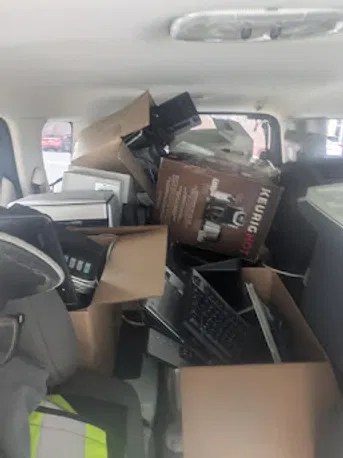
We take this seriously. We even have a dedicated bin for discarded electronics to make sure they get refurbished or recycled properly.
The Easy Way vs. The Hard Way
We’re all for a good DIY project. There’s a certain satisfaction in cleaning your own gear. But let’s be honest, sometimes life gets in the way, or maybe the idea of opening up a $1,000 laptop makes you a little nervous.
The Hard Way (DIY)
You head down to the hardware store, buy a can of air, find your smallest screwdriver, and spend your Saturday afternoon Googling “how to remove laptop backplate without breaking clips.” It’s rewarding, but it can be stressful if you aren’t used to tiny ribbons and fragile connectors.
The Easy Way (The Second Wind Way)
You bring your device to us. We’ve been doing this for years, and we’ve seen it all, from cat hair-clogged fans to “oops, I spilled coffee in the keyboard” situations.
- Internal Dust Removal (Starting at $40): We’ll open up your device, professionally clear out the dust using specialized tools, and make sure your airflow is back to factory standards. It’s like a breath of fresh air for your CPU.
- Performance Tune-ups & Cleaning ($60-$100): This is the full spa treatment. We do the physical cleaning, but we also dive into the software. We’ll clear out the bloatware, optimize your startup items, and make sure your security is airtight.
Pro-tip: A Performance Tune-up is often the cheapest way to make an “old” computer feel brand new again. It’s significantly cheaper than buying a new machine!
Let’s Get That Tech Humming Again
You wouldn’t drive your truck for five years without changing the oil, right? Your computer is the same way. It’s a tool that works hard for you every single day, and a little bit of maintenance goes a long way.
Whether you decide to tackle the dust bunnies yourself or you want to drop it off at our shop while you go grab a coffee, the important thing is that you do it. Your tech (and your sanity) will thank you when your computer doesn’t sound like a jet engine taking off every time you open a web browser.
If you’re ready to give your gadgets that “second wind,” come see us. We’re your local, neighborly tech experts, and we’re here to help you get the most out of the gear you already own.
Ready for a refresh?
Check out our Services or just stop by the shop. Let’s make this spring the season your tech finally catches its breath.
: Cody Woodman, Owner
Leave a Reply