

You know that feeling. You press the power button, walk to the kitchen, brew a fresh pot of coffee, check the mail, come back, and your laptop is still spinning that little circle on the “Welcome” screen. It’s frustrating. It feels like your trusty sidekick has decided to retire without giving you any notice.
In the tech world, there’s a massive marketing machine designed to make you feel like your two-year-old computer is a prehistoric relic. They want you to think that if you don’t have the latest “Ultra-Thin-AI-Integrated-Quantum-Whatever” processor, you’re falling behind. But here’s a secret from the Second Wind bench: most of the time, your laptop isn’t dying, it’s just suffocating.
Before you drop $1,200 on a shiny new machine that’ll probably feel just as slow in eighteen months, let’s talk about giving your current gear a “second wind.” Upgrading your existing tech is often the smarter, cheaper, and greener move.
The “New Laptop” Trap
We see it all the time here in the shop. Someone comes in looking for a slow computer fix, convinced they need a replacement. They’ve been told their “hardware is outdated.” But when we crack open the case, we find a machine that has great bones but is being held back by one or two bottlenecked components.
Buying new is the “Easy Way” if you have a bottomless wallet, but it’s often the “Hard Way” when you consider transferring data, reinstalling software, and dealing with the e-waste of your old machine. The smarter path? Targeted upgrades.
1. The SSD Swap: From Turtle to Turbo
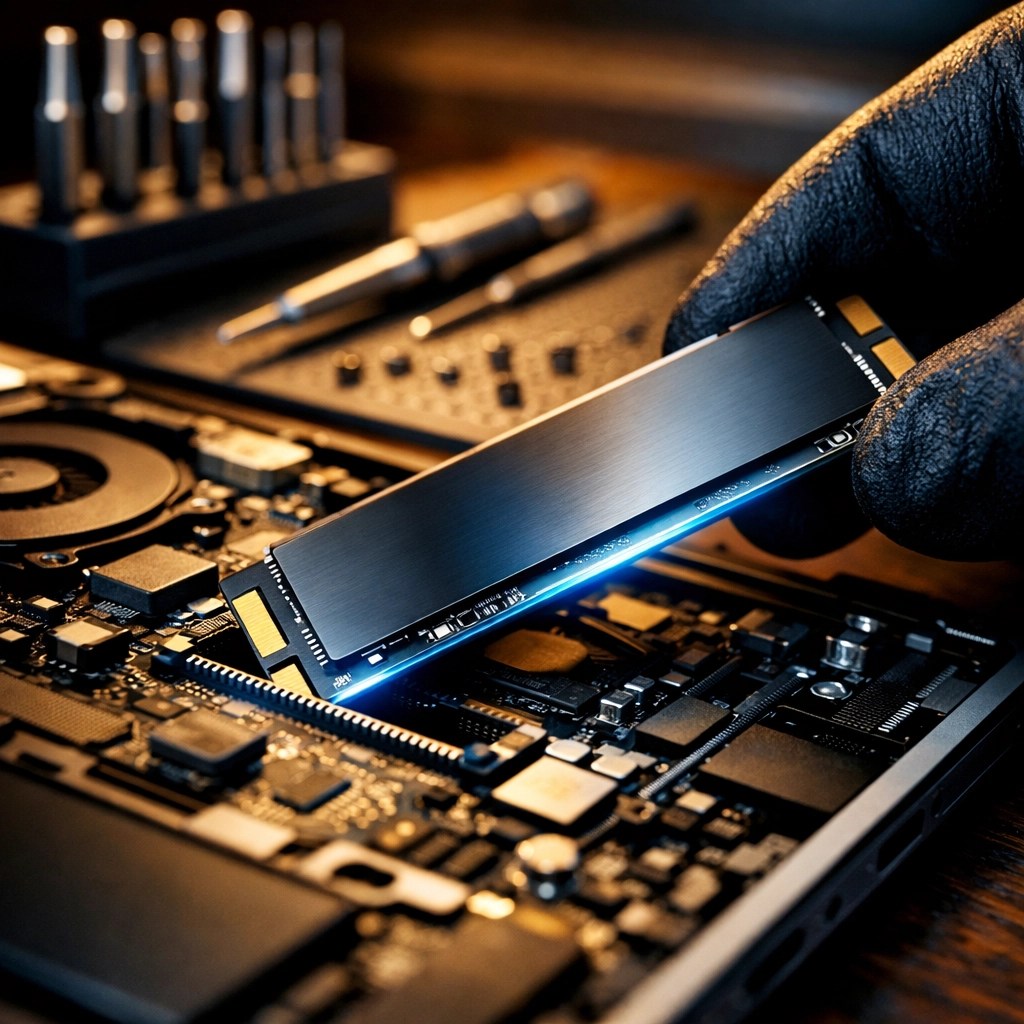
If your laptop still has a traditional Hard Disk Drive (HDD), this is the single most impactful upgrade you can perform. Period.
An HDD is a mechanical device with a spinning platter and a tiny arm that reads data, think of it like a vintage record player. It’s slow, it’s loud, and it’s prone to breaking if you bump it. A Solid State Drive (SSD), on the other hand, uses flash memory. No moving parts.
Pro-Tip: If your computer takes more than 30 seconds to boot up, you’re likely still living in the HDD stone age. Switching to an SSD can make a 7-year-old laptop feel faster than a brand-new budget model from a big-box store.
The Benefits:
- Instant Gratification: Your boot times go from minutes to seconds.
- Durability: Since there are no moving parts, an SSD is much more likely to survive a tumble off the couch.
- Battery Life: SSDs use less power than spinning drives, giving you a bit more time away from the outlet.
2. RAM: Giving Your Brain More Room
RAM (Random Access Memory) is your computer’s short-term memory. Imagine you’re working at a desk. The SSD is your filing cabinet (long-term storage), and the RAM is the actual surface of your desk.
If your desk is tiny, you can only have one paper out at a time. Every time you want to look at a different paper, you have to put the first one back in the cabinet and pull out the new one. That “swapping” is what causes your computer to stutter and lag when you have twenty Chrome tabs open.
Adding more RAM is like getting a bigger desk. It allows your computer to keep more apps “open and ready” at the same time. If you’re trying to run Windows 11 on 4GB of RAM, you’re basically asking a marathon runner to breathe through a cocktail straw. Moving to 8GB or 16GB is like letting them finally take a full breath of that crisp Alberta air.
3. Laptop Battery Repair: Cutting the Cord
Is your laptop basically a desktop now because it dies the second you unplug it? A dead battery is one of the top reasons people think their laptop is “trash.”
Most laptop batteries are rated for about 300 to 500 charge cycles. After a couple of years of heavy use, they start to lose their chemical “oomph.” Instead of buying a new $1,000 machine, a simple laptop battery repair, which usually just involves swapping the internal cell for a fresh one, can restore your freedom.
It’s like replacing the tires on your truck. You wouldn’t buy a new Ford F-150 just because the tread is worn out, right? You’d just get new rubber and keep on rolling.
The Hidden Upgrade: The “Deep Clean”
Sometimes the best upgrade isn’t a new part; it’s just some maintenance. Over time, dust bunnies move into your laptop’s cooling fans and set up shop. This causes your processor to get too hot. When a processor gets hot, it “throttles” (slows itself down) to prevent it from melting.
We use our microscope gear to check for corrosion and debris that might be causing thermal issues. A good internal cleaning and a fresh application of high-quality thermal paste can often stop the fans from screaming like a jet engine and bring your speeds back up to factory levels.

Why Upgrading Wins (The Green Perspective)
We’re big fans of keeping tech out of the landfill. Every time we can save a laptop from becoming e-waste, it’s a win for the environment. Electronics manufacturing is incredibly resource-intensive. By choosing to upgrade, you are:
- Saving Money: An SSD and RAM upgrade usually costs a fraction of a new mid-range laptop.
- Reducing Waste: You aren’t contributing to the mountain of plastic and heavy metals that end up in the bin.
- Preserving Quality: Many older “business class” laptops (like ThinkPads or Latitudes) are built much better than the cheap plastic consumer laptops sold today. Upgrading a high-quality old machine often results in a better experience than buying a low-quality new one.
If your device truly is beyond saving, maybe the motherboard is fried or it’s just too old to run modern security updates, don’t just toss it in the household trash. Bring it to an electronics recycling center. We take our responsibility seriously here at Second Wind, ensuring that even “retired” tech is handled properly.

Is Your Tech Ready for a Second Wind?
I’m not a miracle worker (though my coffee intake suggests I’m trying to be), and there are times when a laptop is truly at the end of its life. If your screen is flickering, your hinge is snapped, and the processor is a dual-core from 2012, it might be time to browse our shop for something a bit more modern.
But for the vast majority of you reading this on a sluggish machine: don’t give up yet.
A few targeted hardware swaps can take that frustrating “coffee-break-boot-up” and turn it into a snappy, reliable tool that’ll last you another three or four years. Whether it’s a slow computer fix or a laptop battery repair, we’re here to help you navigate the options.
The Second Wind Checklist:
- SSD: For speed and reliability.
- RAM: For multitasking without the headache.
- Battery: To regain your mobility.
- Cleaning: To keep things cool and quiet.
If you’re in the neighborhood, drop by the bench. Let’s crack that case open and see if we can give your laptop the second wind it deserves. And hey, while you’re waiting for a diagnostic, you can check out our latest Funko Pop arrivals: because even a tech wizard needs a few cool toys on the shelf!
Ready to speed things up? Contact us today and let’s get that gear running like new again.
Leave a Reply