

Slug: macbook-neo-repair-guide
If you’ve been hanging around the tech corners of the internet lately, you’ve probably heard the name "Neo" whispered more often than a Keanu Reeves fan convention. Apple’s latest release, the MacBook Neo, is officially out in the wild, and it has the entire industry, including us over here at Second Wind Sales and Services, scratching our heads and checking our screwdrivers.
Cody’s first reaction when he saw the specs? "It’s essentially just an iPad with a keyboard."
And honestly, looking at the hardware, he’s not wrong. But as we dug deeper into the teardown reports and the internal architecture, we found a few surprises that might actually change the way we look at entry-level laptops. Is this the budget Mac we’ve been waiting for, or is it just a clever way to sell us iPhone parts in a shiny aluminum shell? Let’s break it down.
The "iPad" Internals: Powering a Laptop with a Phone Chip
The big talking point for the MacBook Neo is the processor. Instead of the heavy-hitting M-series chips we see in the Air and Pro models, the Neo is sporting the A18 Pro. If that sounds familiar, it’s because it’s the exact same silicon powering the iPhone 16 Pro.
This is why Cody calls it an iPad with a keyboard. By moving to an iPhone-class chip, Apple has created a device that is incredibly power-efficient. We’re talking about "forget your charger at home for two days" levels of battery life. It’s fanless, silent, and runs macOS like a champ for everyday tasks like browsing, streaming, and writing the Great Canadian Novel. And yep: despite the iPhone chip, it’s still running full macOS Tahoe, so you can install and run regular Mac apps (not just App Store-only stuff).
But there’s a trade-off. While the A18 Pro is a beast in a phone, it doesn't have the same multi-core muscle or thermal headroom as an M3 or M4 chip. For students or folks in Raymond just looking to check emails and watch Netflix, it’s plenty. But if you’re trying to edit 4K video or run heavy simulations? You might find the Neo hitting a wall faster than a truck on a black-ice patch in January.
The Big Plot Twist: iFixit Loves It?
Now, here is where things get interesting for us "tech wizards" who spend our days elbow-deep in circuit boards. Historically, repairing a MacBook has been about as fun as shoveling a driveway in a blizzard with a teaspoon. Apple loves glue. They love proprietary screws. They love making things difficult.
But the MacBook Neo seems to be turning over a new leaf. iFixit gave it a 6/10 for repairability. For a MacBook, that’s basically a standing ovation. It’s actually the most repairable laptop Apple has put out in about 14 years.

Here’s why we’re excited:
- The Battery is Screwed In: Yes, you read that right. No more "stretch-release" adhesive strips that snap halfway through, and no more gallons of solvent needed to pry a battery off the top case. It’s held in by actual, honest-to-goodness screws.
- Modular Ports: The USB-C ports and the headphone jack are modular. In the past, if you tripped over your charging cable and mangled a port, you might have been looking at a full motherboard replacement. On the Neo, we can just swap the port.
- Flat Disassembly Tree: You don’t have to remove twenty unrelated parts just to get to the one thing you need to fix. It’s designed in layers that make sense.
Pro-tip: Just because it’s easier to open doesn’t mean you should poke around with a butter knife. Those internal connectors are still delicate as a dragonfly’s wing!
The Catch: The "Disposable" Problem
We wouldn't be doing our jobs if we didn't point out the fly in the ointment. While the physical assembly is better, the Neo still suffers from Apple’s favorite hobby: soldering everything.
The base model comes with 8GB of RAM and a relatively small SSD. Because those chips are soldered directly onto the mainboard, you can never upgrade them. If you buy a Neo today and realize two years from now that you need more storage, you can't just pop in a bigger drive like we do with the desktop upgrades you see in our shop. You’re stuck.
This feels a bit like "planned obsolescence" to us. While the battery can be replaced to give the device a "second wind" (pun intended!), the limited RAM might make the laptop feel sluggish long before the hardware actually wears out.
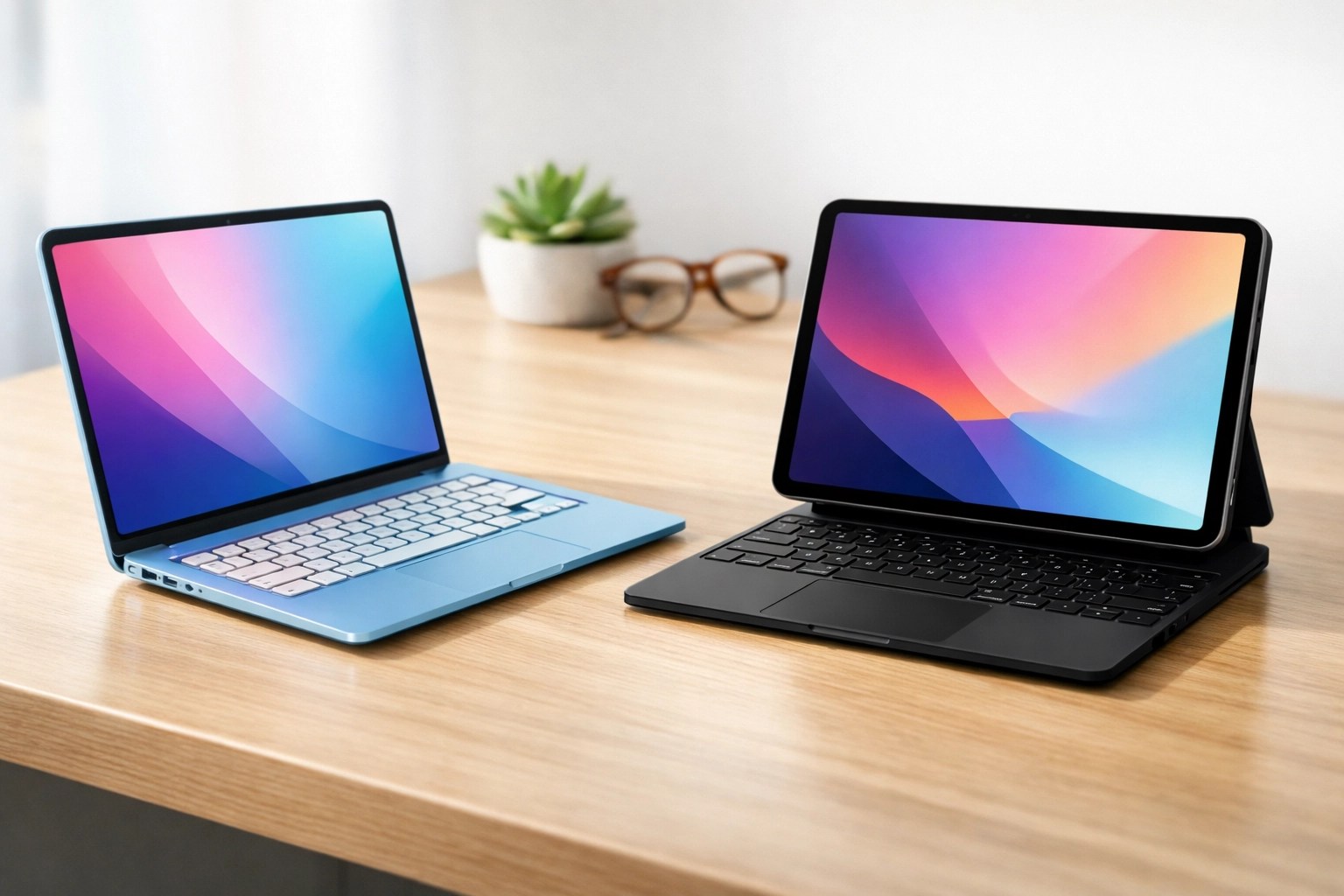
Suggested Visual: A comparison graphic showing the MacBook Neo next to an iPad Pro with a Magic Keyboard.
Second Wind’s Perspective: Should You Buy the Neo?
We’re all about value here. We love seeing Apple move toward better repairability: it’s a win for the environment and a win for your wallet. But when it comes to getting the most bang for your buck, the Neo has some stiff competition.
At $599 USD (and whatever the exchange rate decides to do to us here in Canada), it’s the cheapest "new" Mac in years. However, for that same price: or even less: you can often find a refurbished MacBook Air with an M1 or M2 chip.
Here is why we still think the "real" MacBooks are the better long-term value:
- Performance: Even the M1 chip generally outperforms the A18 Pro in sustained laptop tasks because it was designed for a larger chassis with better heat dissipation.
- Screen Quality: The Neo cuts some corners on the display and doesn't have a backlit keyboard on the base model. If you’re typing in the dark, that’s a big deal.
- Professional Feel: The Neo uses a mechanical trackpad rather than the haptic "Force Touch" trackpad. If you’re used to the premium feel of a Pro or Air, the Neo might feel a bit… "clicky" and cheap.
If you’re a budget-conscious student or someone who just wants a light, colorful machine for basic tasks, the Neo is a great "first Mac." It’s certainly better than a cheap plastic Windows laptop that will fall apart in six months. But if you’re looking for a "forever" machine, we still lean toward the slightly older, more powerful models.
Repairability is the Future
Whether or not the Neo is the right laptop for you, its design gives us hope. Between this new internal layout and the recent progress with Bill C-244, it feels like the "Right to Repair" movement is finally gaining some real traction.
We’ve seen too many gadgets end up in the recycling bin just because a single $10 port broke or a battery died. Seeing a "screwed-in" battery in an Apple laptop is like seeing a unicorn in the wild: it shouldn't be this rare, but we’re sure glad to see it.
If you do decide to hop on the Neo train and you ever run into trouble: or if you want to see if we have any of those powerhouse M1 or M2 refurbs in stock: you know where to find us. We’re always happy to talk shop, whether it’s about the latest iPhone-powered laptop or explaining how parts pairing works.
The Final Verdict
The MacBook Neo is a fascinating experiment. It’s an iPad in a suit, pretending to be a "real" laptop. For 80% of people, that’s actually exactly what they need. It’s easy to carry, the battery lasts forever, and for the first time in a decade, it won't be a nightmare to fix if you drop it.
Just remember: 8GB of RAM is the new "minimum wage" of the tech world. It’ll get you by, but don't expect to be living in luxury.
Need a hand with your tech?
Whether you’ve got a brand-new Neo or a "vintage" 2015 MacBook that’s starting to puff out its battery, come see us at Second Wind Sales and Services. We’ll give your gear the professional care it deserves without the "Genius Bar" attitude.
Stay techy, stay local!
: Penny & Cody (Team PenOdy)
Want to learn more about what’s happening in the world of Canadian tech? Check out our post-sitemap for more deep dives into repairability, local tech tips, and why we love fixing what’s broken.
Leave a Reply